iSamurai Video — Early Access

AI Character Swap & Animate Video

Replace a person in a video using AI, or bring a photo to life with motion transfer. Your scene, camera moves and motion stay exactly as filmed; only the person changes — that’s animate image AI plus full character swap, in one studio.

Free to start · No credit card · One photo is enough — swap & animate

One studio, two ways to edit video with AI

Swap the character or animate a photo

Two tools, one idea: you bring a photo of a character, the AI puts that character in motion — in your video or in theirs.

Video → Video

AI character swap — replace a person in a video

Upload a video and one clear photo of your character. The AI replaces the entire person in the video — body, clothes and all — while the scene, lighting, camera moves, motion and audio stay exactly as filmed. It’s the fastest way to edit video with AI without a reshoot.

  • The whole person is replaced, not just the face
  • Scene, motion & audio stay untouched
  • One clear photo of your character is enough
Swap a character →
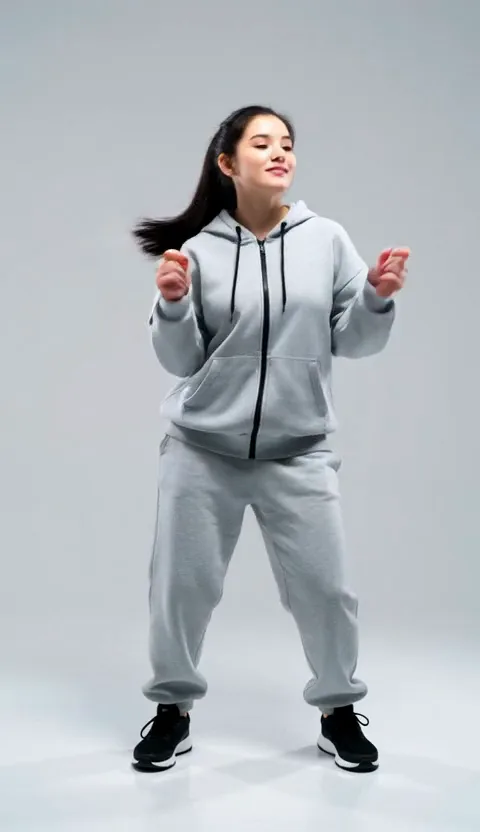
Original video frame: a person walking through a city street
Your video
+
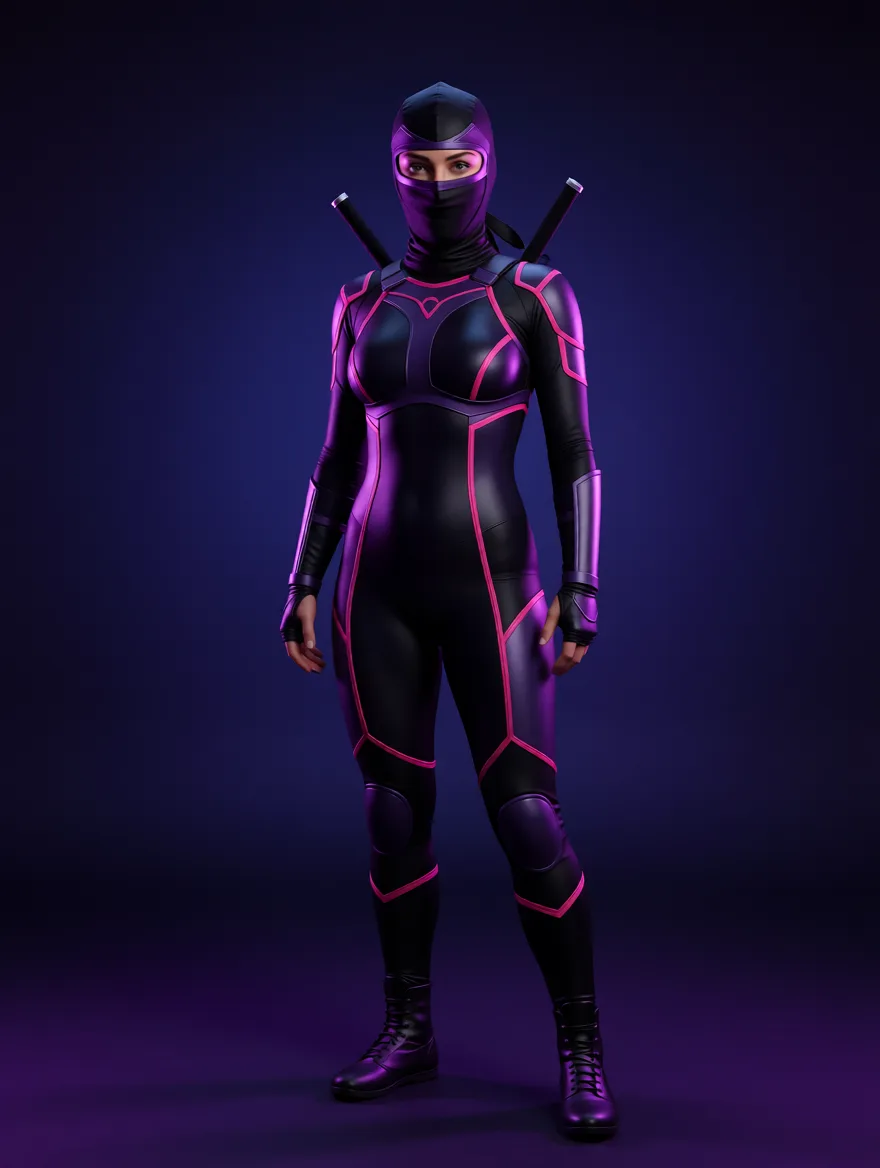
Character reference photo used for the AI character swap
Character photo
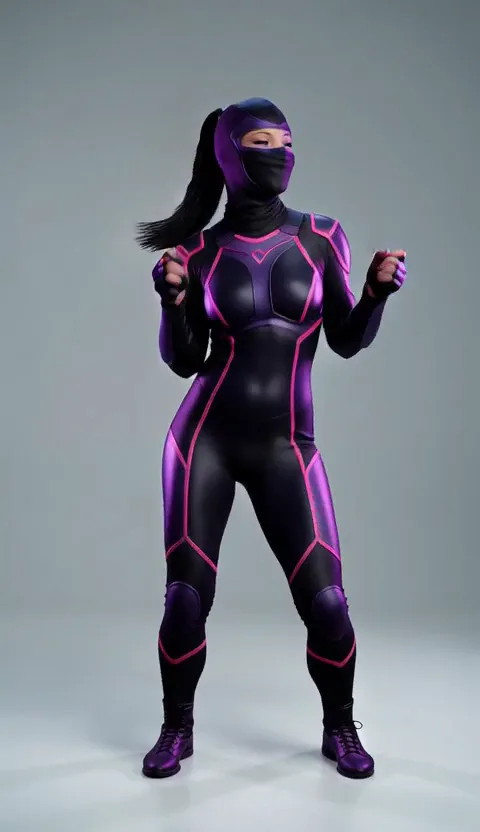
Result: the new character walking the same street with the same motion
Result
Character Swap Same street, same walk, same light — a different person.
Motion Transfer

Animate a photo with AI — motion transfer from any video

Pick a still image of a character and any video as the motion source. The AI animates your image so the character performs the motion of the video — a dance, a walk, a fight scene — inside their own world from the photo. Bring a photo to life, a drawing, a game character or a product mascot.

  • Any motion source: dance, sports, acting, gestures
  • The character stays in the photo’s own scene
  • Works with photos, artwork & illustrated characters
Animate a photo →
Animate One still image + one motion video = your character, moving.
Three steps, no editing skills

How it works

Everything runs in the browser studio — upload, pick, generate. The exact credit cost is shown before you confirm.

1

Upload

Add your video and one clear photo of the character — a full-body shot where the character is fully visible works best.

2

Pick

Choose who to swap when several people are in frame, scrub to a clear starting frame, and line the pose up with the built-in pose matching tool.

3

Generate

Pick resolution, duration and fast or high quality — the cost appears on the button. Your finished video lands in the gallery, ready to download.

Get it right the first time

Tips for the most realistic results

Small choices before you hit Generate make the biggest difference.

Match the pose

Results are best when your character photo roughly matches the pose in the video’s first frame. The built-in pose matching tool lets you scrub the video, then move, scale and rotate your character image until the two line up.

Use a clean, well-lit photo

One sharp, front-lit photo beats five blurry ones. Make sure the character is fully visible, not cropped at the edges, and not covered by hands, hair or objects.

Add extra views for long clips

On the Samurai plan you can add up to 3 more photos of the same character — a back view, a profile, a close-up. Identity stays consistent through turns and longer videos.

What people make with it

Use cases

Short-form content

Reuse one good take across characters and personas — the motion is filmed once, the character swaps forever.

Ads without reshoots

Swap the actor in a product video for a new market or A/B test — the product, set and timing stay identical.

Music & dance videos

Transfer a choreography onto an illustrated character or bring album art to life with motion transfer.

Game & anime characters

Animate a character sheet or put your OC into real footage — no rigging, no 3D software.

Memes & skits

Put anyone (with their permission) into famous scenes, or your mascot into trending clips.

Previz & storytelling

Test how a scene reads with a different character before committing to a shoot or an animation budget.

Choose your plan

One credit system for every tool. Yearly = 12 months for the price of 9 (3 free months). Paid AI video runs at 3 credits/sec (character swap & animate) and 5 credits/sec (head swap) — the Free 5 credits/sec applies only to 1-second test clips.

Free

$0

forever

  • 10 credits + daily bonus
  • 1-second test clips (5 cr/s)
  • No minimum — try before upgrading
Start free

Kohai

$9.90/mo

$89.91/yr — 12 months for the price of 9 (3 free months)

Maxi variant: $15/mo → 300 credits · $135/yr

  • 150 credits + 50 daily
  • Swap/animate clips up to 10 s each
  • 3 cr/s (5 in high quality) · min 5 cr
Choose Kohai
Most popular

Ninja

$29/mo

$261/yr — 12 months for the price of 9 (3 free months)

  • 600 credits + 60 daily
  • Clips up to 15 s each
  • 3 cr/s (5 high) · min 5 cr
Choose Ninja

Ronin

$49/mo

$441/yr — 12 months for the price of 9 (3 free months)

  • 1,500 credits + 100 daily
  • 720p · clips up to 30 s each
  • 3 cr/s (5 high)
Choose Ronin
Most popular

Samurai

$79/mo

$711/yr — 12 months for the price of 9 (3 free months)

Maxi variant: $150/mo → 12,000 credits · $1,350/yr

  • 4,000 credits + 200 daily
  • 1080p · clips up to 60 s each
  • 3 cr/s (5 high) · high-quality mode
Choose Samurai

Full pricing details →

Fair & transparent

Plans & pricing for AI video

Credits are a fixed price per second of video — never an estimate. You see the exact cost before you confirm, and you are only charged for successful jobs — see our refund policy.

FreeKohaiNinjaRoninSamurai
Price$0$9.90/mo$29/mo$49/mo$79/mo
Credits / month10 +10 per daily login150 +50 daily600 +60 daily1500 +100 daily4000 +200 daily
Max video length1 s10 s15 s30 s60 s
Max resolution480p480p480p · 60 fps720p1080p
Character Swap & Animate
High quality mode
Extra reference photos✓ up to 3
Videos at once11112
Video generationFastHigh quality
Character Swap / Animate3 credits / second5 credits / second

Paid plans: minimum 5 credits per video. Free accounts: 5 credits per second — enough for a short test every day. Resolution never changes the price.

What you get on Free vs Paid

Free Try Character Swap and Animate on 1-second clips at 480p — 10 credits on signup plus 10 for every daily login.

Paid Longer videos (up to 60 s), higher resolutions up to 1080p, high quality mode, extra reference photos and bigger monthly credit packs.

See full plans & pricing →

Frequently asked questions

What is an AI character swap?

An AI character swap replaces the entire person in a video — body, clothes and all — with a character from a photo you provide. The scene, lighting, camera moves, motion and audio stay exactly as they were filmed; only the person changes.

How is character swap different from face swap?

A face swap changes only the face and keeps everything else — great for quick identity changes. A character swap replaces the whole person, so body shape, outfit and hair all come from your character photo. Use face swap for a quick face change, character swap when you want a completely different person in the shot.

Can I animate a photo with AI?

Yes. The Animate tool uses motion transfer: you pick a still image of a character and any video as the motion source, and the AI makes your character perform that motion inside the photo’s own scene. It works with photos, drawings, game characters and illustrations.

Can I replace a person in a video using AI for free?

Yes. A free account comes with 10 credits plus 10 more for every daily login, which is enough to try Character Swap or Animate on a 1-second clip at 480p every day. Paid plans unlock longer videos and higher resolutions.

How long can my video be?

It depends on your plan: 1 second on Free, 10 seconds on Kohai, 15 on Ninja, 30 on Ronin and up to 60 seconds on Samurai. If your upload is longer, you simply pick which part to process.

How many credits does a video cost?

Pricing is per second of output video: Character Swap and Animate cost 3 credits/second (fast) or 5 credits/second (high quality). The exact total is shown on the Generate button before you confirm, and you are only charged for successful jobs — see our refund policy.

What makes a good character photo?

One sharp, well-lit photo where the character is fully visible and uncovered. A full-body shot works best for Character Swap and Animate. For best results, match the pose in the video’s first frame — the built-in pose tool helps you line them up.

Which videos work best as a motion source?

Clips where the person is clearly visible from the first frame, without heavy occlusion or extreme cuts. Dance, sports, acting and everyday movement all transfer well; steady shots of one clearly-framed person give the cleanest results.

Put your character in motion

Join creators using iSamurai to swap characters and bring photos to life with AI.

Start swapping — free →