

1 · The photo
Its body, clothes, pose and background stay.
Replace the whole head — face, hairstyle, hairline and head shape — not just the face. In a video, ReImagine keeps the body, the motion, the camera and the sound. In a photo, Imagine does it in about five seconds.
Video: paid plans, 6 credits a second · Photo: every plan, 8 credits
The same idea, two tools.
Open a frame with Edit this frame, use Head Swap in the built-in image editor, and the video follows that keyframe: the face and hair change, the body, the clothes, the scene and the sound stay. 6 credits per second (10 in HD), on the paid plans. More about ReImagine →
Photo 1 keeps its body, clothes, pose and background; photo 2 gives the head. About five seconds, 8 credits on Fast (16 on Slow), on every plan, including Free. More about Imagine →
Made with Imagine's Head Swap.
Its body, clothes, pose and background stay.

One clear photo of the face and hair.
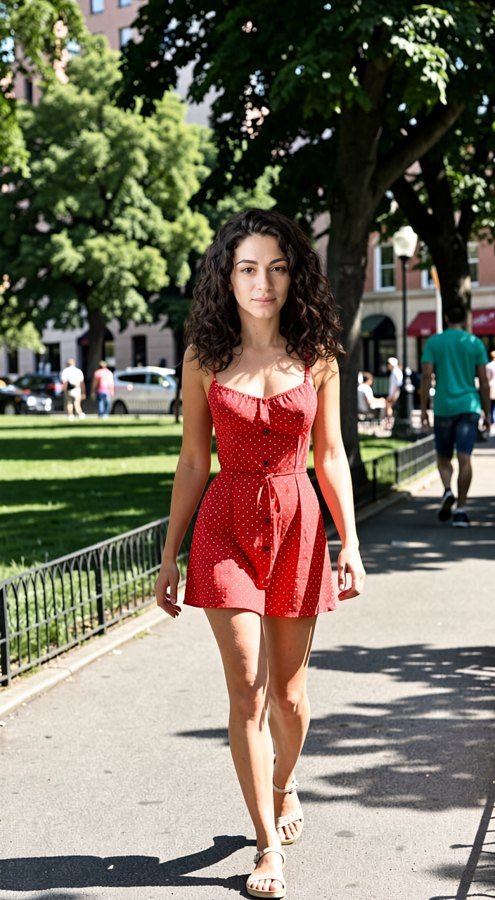
The whole head is replaced, hair included.
Open ReImagine and upload any video. Edit up to 10 seconds at a time on Kohai, 30 on Ninja, 1 minute on Ronin and 2 minutes on Samurai.
Pick a frame, choose Edit this frame, and use Head Swap with a photo of the new head. That frame becomes a keyframe.
The video follows the keyframe: the new head moves exactly like the original, and the sound comes back with the result.
Only the face changes; the hair and the head shape stay. Best for a quick swap in photos, videos and GIFs. Face swap →
The whole head changes, hair included, for a much stronger resemblance. Body, outfit and scene stay.
The whole person changes, body and clothes too, while the scene and the motion stay. Character swap →
Sharp, well lit, the hair fully visible, nothing covering the face.
Pick a frame where the head faces the camera the way your photo does.
Soft, even light in the photo blends best with most scenes.
On Ronin and Samurai, render close-ups in HD for finer hair and skin.
The exact price shows before you start.
In video: 10 credits per second in HD (Ronin and Samurai). In photos: 16 credits on Slow. See every plan on the pricing page.
In ReImagine. Open a frame with Edit this frame and use Head Swap in the built-in image editor: the video follows that keyframe, so the face and the hair change while the body, the clothes and the scene stay.
In a video, ReImagine costs 6 credits per second (10 in HD), on the paid plans. In a photo, Imagine's Head Swap costs 8 credits on Fast (16 on Slow), on every plan.
Yes. In Imagine, photo 1 keeps its body, clothes, pose and background, and photo 2 gives the head: the face and the hair. It takes about five seconds.
A face swap changes only the face; the hair and the head shape stay. A head swap replaces the whole head, hair included, for a stronger resemblance.
Yes, in photos: Imagine's Head Swap works on every plan, including Free (8 credits on Fast; a free account gets 10 credits plus 10 per daily login). Head swap in video, with ReImagine, starts on Kohai.
Yes. A head swap takes the hair, the hairline and the head shape from your photo, not just the face.
Free in photos. In video from Kohai.