iSamurai Imagine — Early Access

The AI Image Generator & Editor

A free AI image generator and editor: create visuals from text, remove objects or replace backgrounds with AI inpainting, blend multiple reference images, and restyle or restore photos — all in one fast studio.

Free to start · No credit card · No watermark — generate, edit, inpaint & compose

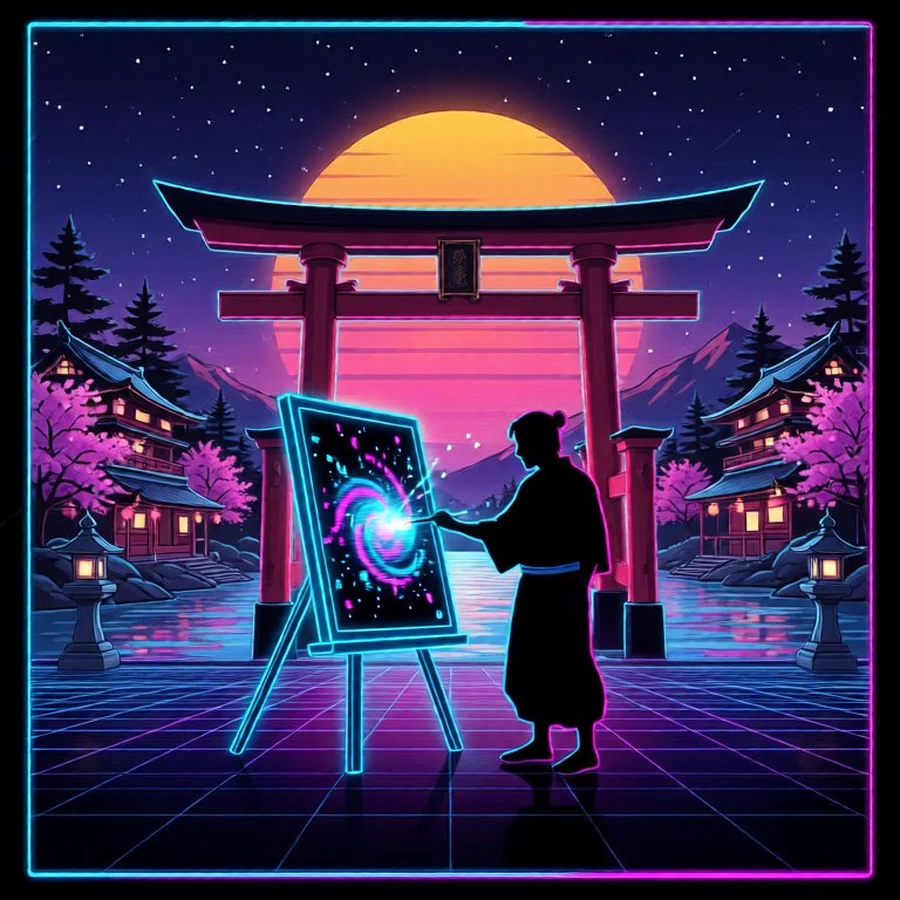
AI generated synthwave samurai artwork created with iSamurai Imagine
One studio, four superpowers

Everything you need to create & edit images with AI

Imagine auto-detects whether you want to generate, edit, compose or region-edit — so you stay in flow.

Text → Image

AI image generator — text to image from a prompt

Describe anything and the free AI image generator turns your text to image in seconds. Add a negative prompt to steer quality, pick an aspect ratio, and render multiple variations at once.

  • Photoreal or stylised — anime, art, product shots
  • Positive & negative prompts for fine control
  • Aspect ratios + up to 4 variations
Generate an image →
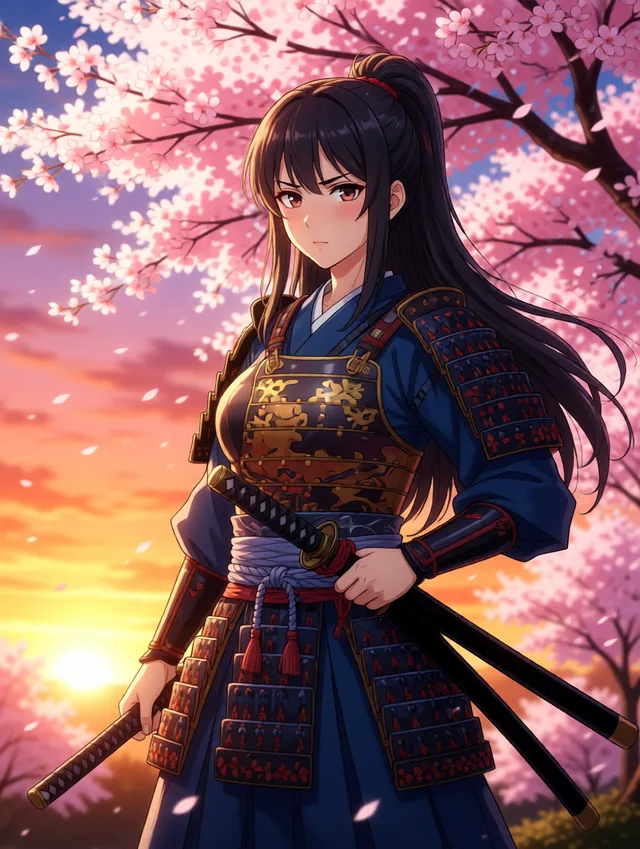
AI text to image example: anime samurai girl generated by iSamurai Imagine
Prompt “anime style samurai girl with a katana under cherry blossoms at sunset, vibrant, cinematic”
Region Editing

AI inpainting — remove objects & replace backgrounds

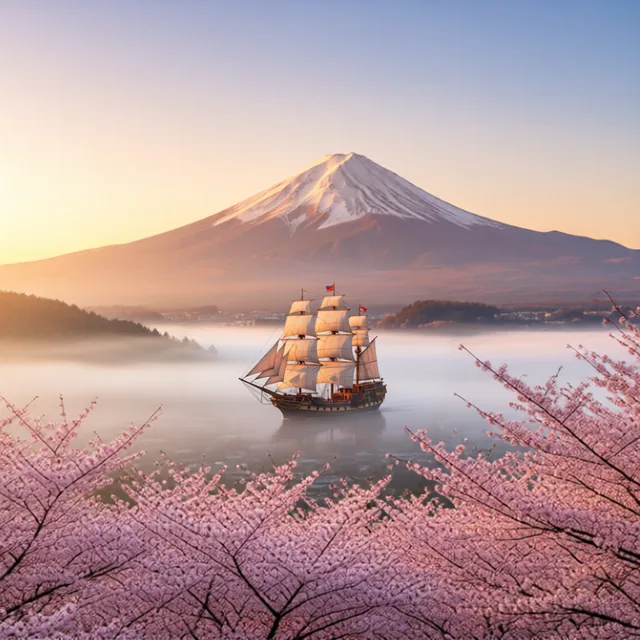
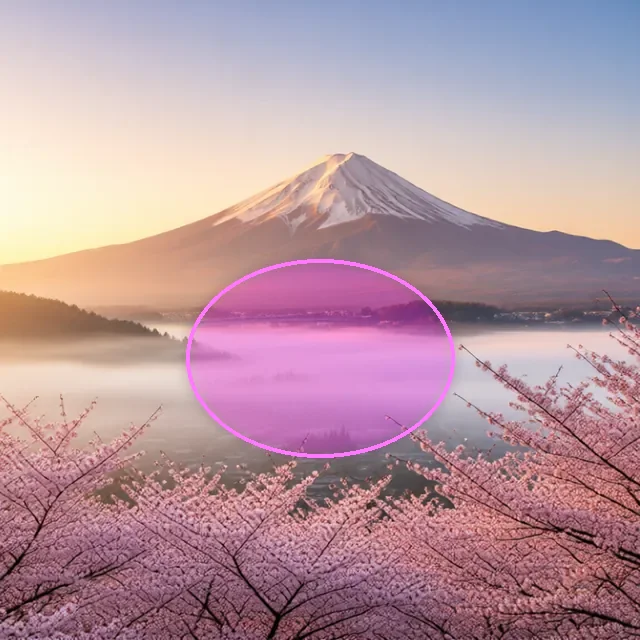
Paint a region and describe the change to remove an object from a photo, replace the background or add something new. The AI rebuilds only what you selected and leaves the rest pixel-identical. Drag the slider to see the painted region become a ship.

  • Brush a mask, prompt the fill
  • Remove objects or replace the background with AI
  • Everything outside the region stays untouched
Try region editing →
After AI inpainting: a sailing ship added to the misty water
Before AI inpainting: the painted region on a Mount Fuji scene
RegionResult
Prompt “add a traditional sailing ship floating in the misty water in the selected region, matching the dawn light”
Reference Editing

Combine images with AI — multiple reference images

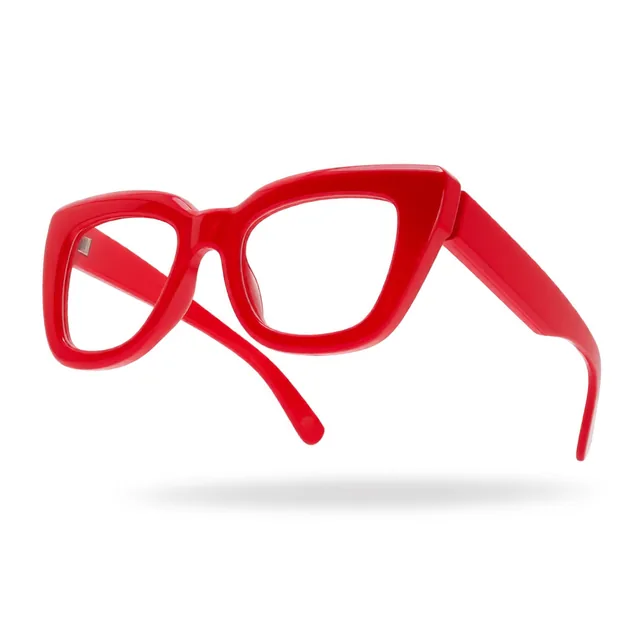
Give the AI a subject plus one or more reference images and describe how to merge them — “put the glasses from image 1 on the person.” It’s a single edit; paint a region on top and it becomes a full multi-image compose. Perfect for virtual try-on, product placement and style transfer.

  • Combine or merge several images at once
  • Virtual try-on, product swaps, style transfer
  • Keeps identity, lighting & pose consistent
Compose with references →
Reference image 1: red glasses
Image 1
+
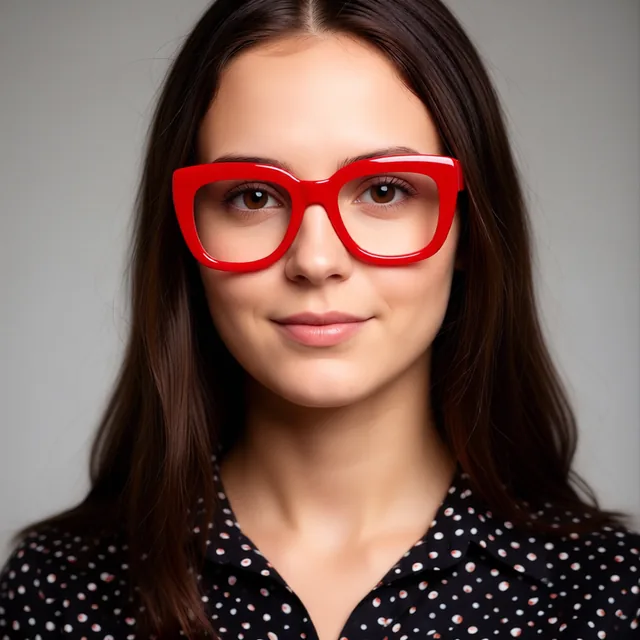
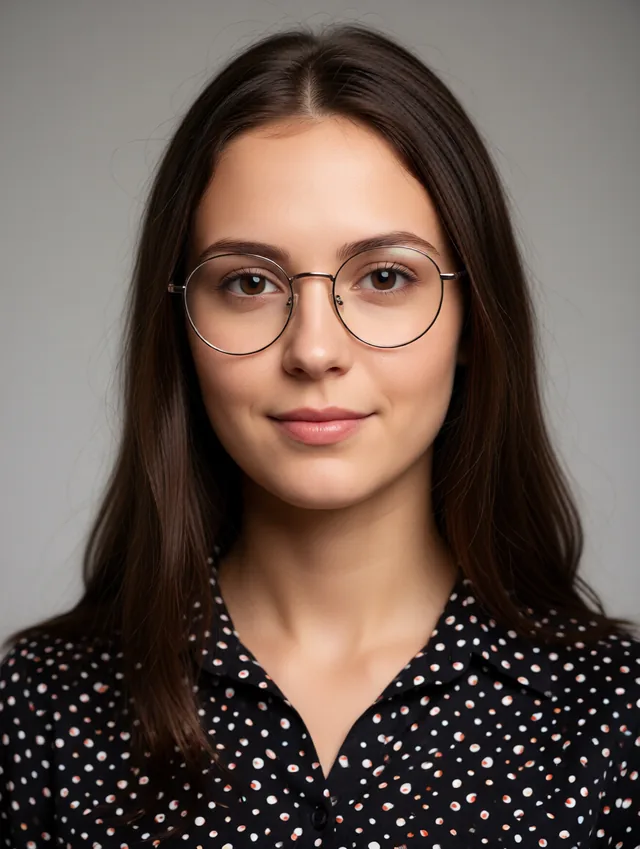
Reference image 2: portrait subject
Image 2
Result: glasses applied to the portrait
Result
Prompt “replace her glasses with the thick red glasses from image 1, keep the face & lighting”
Edit & Restyle

AI photo editor — restyle, enhance & restore

Turn a photo black & white, repaint it as a cartoon, change the season, recolour a product or restore an old, damaged photo — just type the instruction. Composition stays faithful to the source. Swipe through the examples and drag to compare.

  • Prompt-based, instruction-style editing
  • Style transfer, recolour, enhance & restore old photos
  • Composition stays faithful to the source
Edit a photo →
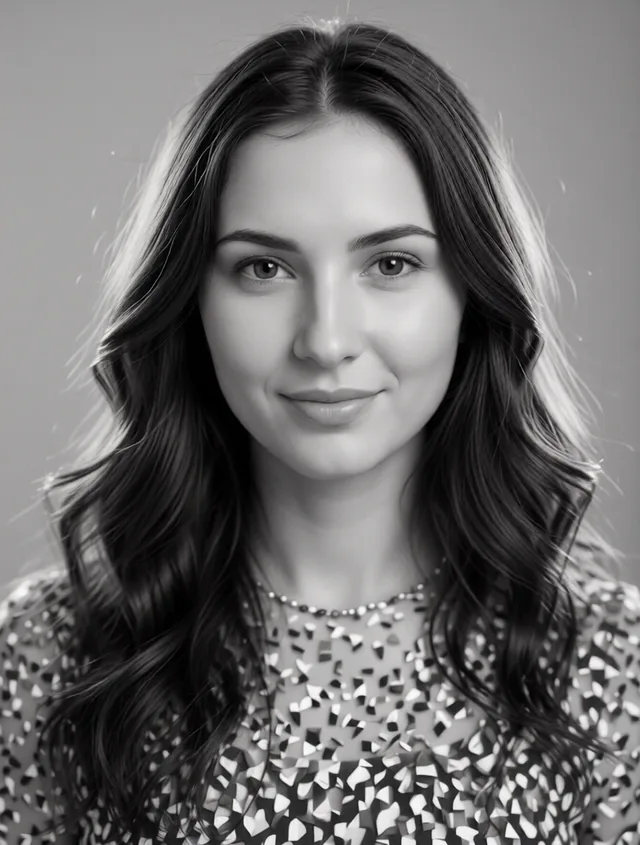
After: black and white portrait
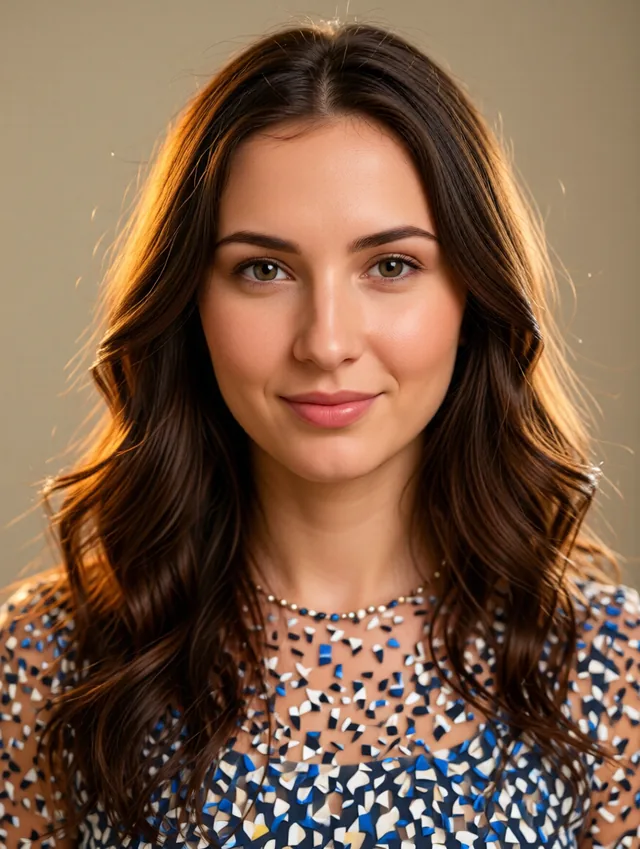
Before: colour portrait
BeforeAfter
Prompt “convert it to black and white, keep all the details and composition the same”
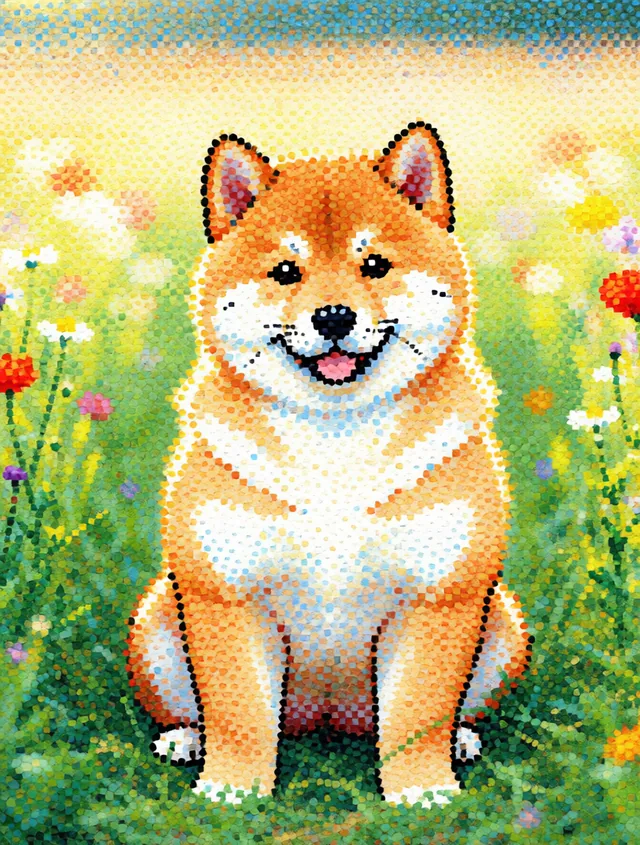
After: dotted cartoon style shiba
Before: original shiba photo
BeforeAfter
Prompt “transform the image into a dotted cartoon style, keep the subject recognisable”
Fair & transparent

Simple credits, no surprises

Credits are a fixed price per action — never an estimate. You see the exact cost on the Generate button before you commit, and failed generations are refunded automatically.

ActionFastHigh quality
Generate (text → image)410
Edit / restyle (incl. reference images)28
Region edit (inpaint)415
Multi-image compose (images + region)815

Custom step counts: 2 credits / step. A free account starts with 10 credits.

What you get on Free vs Paid

Free Generate, edit & region-edit at standard quality, one image at a time — 10 credits to start.

Paid Unlocks high quality, multiple variations, multi-image compose, bigger monthly credit packs & priority processing.

See plans & pricing →

Frequently asked questions

What is iSamurai Imagine?

An AI image generator and editor. From one studio you can create images from text, edit and restyle photos, blend multiple reference images, and perform surgical region edits (AI inpainting).

How is region editing (inpainting) different from a normal edit?

You paint a mask over a specific area and describe the change. Only that region is regenerated — everything outside your selection stays pixel-identical.

Can I use more than one image in a single edit?

Yes. Multi-image reference editing lets you provide a subject plus one or more reference images and describe how to combine them — great for virtual try-on, product placement and style transfer.

How do credits work?

Each action costs a fixed number of credits, shown on the Generate button before you confirm. Generating starts at 4, edits at 2, region/multi-image at 4–15 depending on quality. Failed generations are refunded.

Is it a free AI image generator — and do images have a watermark?

Yes, it’s free to start: create a free account, get 10 credits and generate right away, no card required and no watermark on your images. Paid plans from $9/mo add monthly credits, high-quality output, multi-image editing and priority processing.

Can I remove an object or replace the background?

Yes. Use region editing (AI inpainting): paint a mask over the object or background, describe the change, and only that area is regenerated — perfect for removing objects or swapping a background while the rest stays untouched.

Can it restore old or damaged photos?

Yes. The AI photo editor can restore old, faded or damaged photos and enhance faces — just upload the photo and describe what you want fixed.

What image formats can I upload?

JPG, PNG, WebP and HEIC (iPhone) all work. Sideways phone photos are auto-rotated and transparency is handled cleanly.

Launch your imagination

Join creators using iSamurai Imagine to generate, edit and compose images with AI.

Launch your imagination — free →