

iSamurai — Photo & Video Face Swap

AI Face Swap Video Online: Swap Faces in Photos, Videos & GIFs

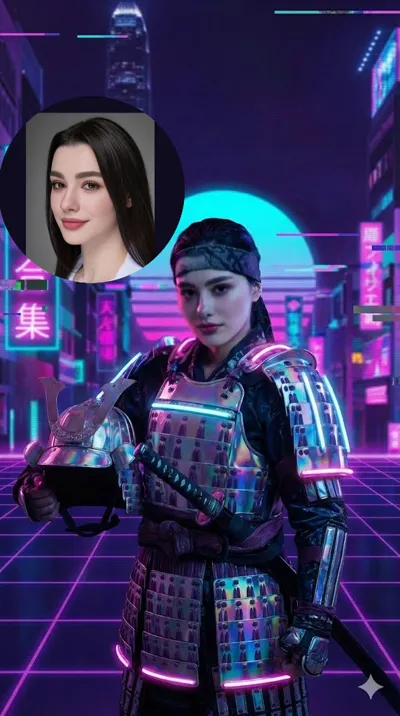
Create an AI face swap video online in seconds — free to try. Upload one clear photo and iSamurai blends it into your photo, video or GIF — tracking every expression, angle and movement — while the lighting, skin tone and scene stay perfectly natural.

Free to start · No credit card · One clear photo is enough

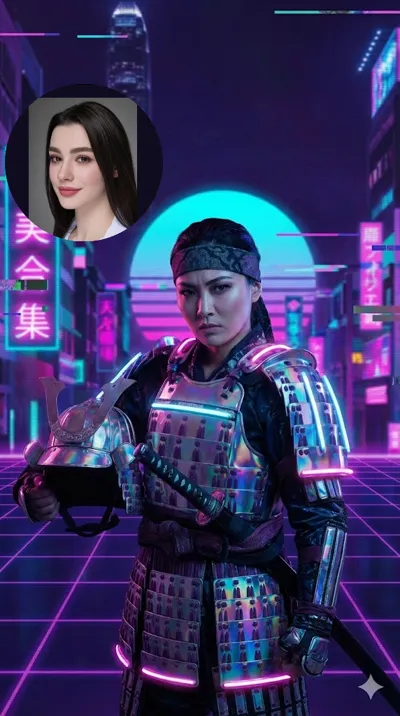
The single source photo used for this AI face swap
One source photo
Choose your tool

Two powerful ways to swap faces

Whether you need a quick swap or full creative control, there’s an AI face swap tool for you — both run right in your browser.

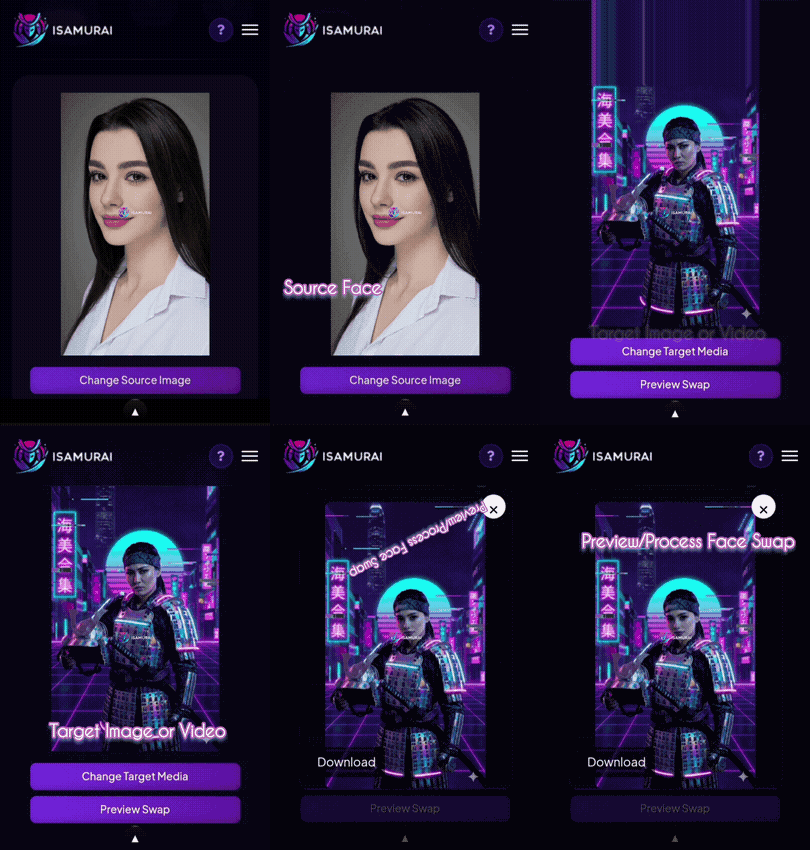
Quick Face Swap demo Fast & simple

Quick Face Swap

Perfect for fast swaps in photos and videos. Upload your source face and target media, preview the result, and download in seconds.

  • One-click face swap for photos & videos
  • Instant 1-credit preview before you render
  • Beginner friendly — no editing skills needed
Try Quick Swap →
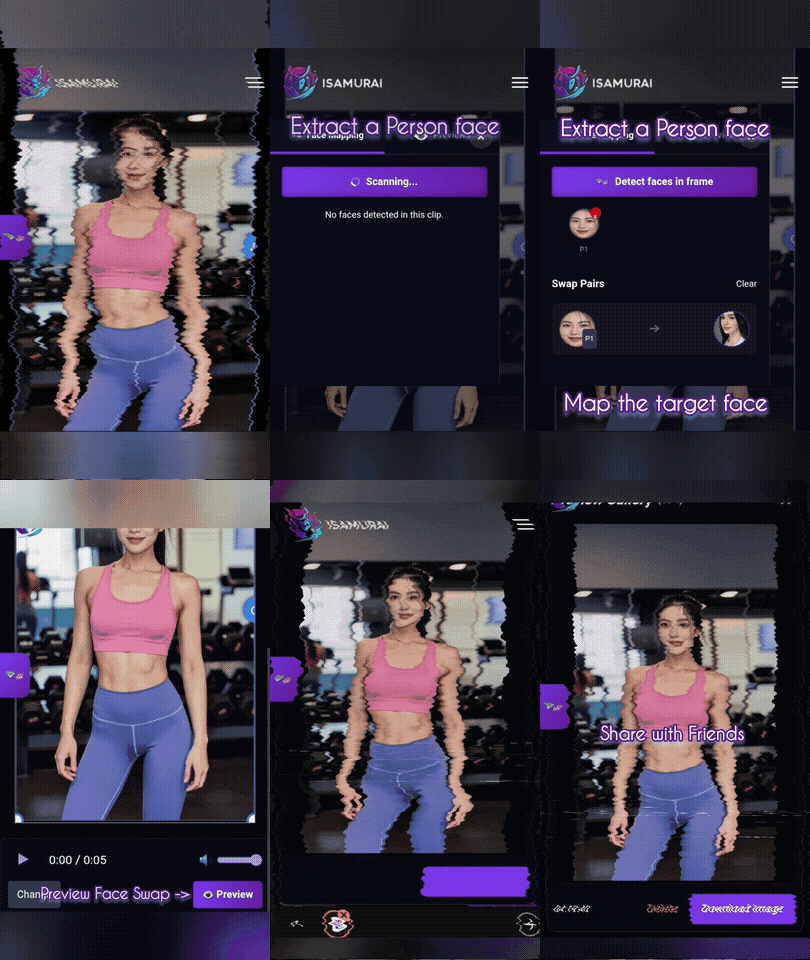
Face Swap Studio demo Pro · Full control

Face Swap Studio

Professional-grade video face swapping with timeline control. Swap multiple faces, map a different photo to each person, and manage complex multi-face projects.

  • Timeline-based editing with per-frame control
  • Multiple Faces Mode — one source photo per person
  • Automatic face detection & tracking
Open Studio →

Need more than the face? AI Head Swap replaces the whole head — hair included — and AI Character Swap replaces the entire person, body and clothes too.

Three steps, no editing skills

How to face swap a photo or video

Everything runs online — upload, preview, render. The exact credit cost is shown before you confirm. New here? Follow the step-by-step face swap guide.

Step 1 1

Upload

Add your target photo or video and one clear source photo — an upright, sharp, front-lit face with a little margin around it works best.

Step 2 2

Preview

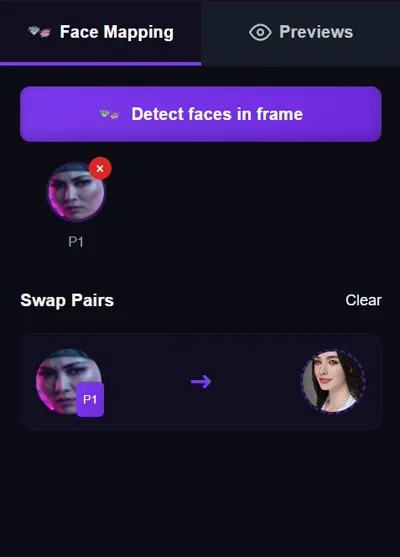
The AI detects every face automatically. Swap a single frame first for 1 credit to check the result — and in groups, map a different source photo to each person.

Step 3 3

Render & download

Happy with the preview? Render the full video — the AI tracks the face through every expression and movement — and download the finished result from your gallery.

Get it right the first time

Tips for the most realistic face swap

Small choices before you hit Generate make the biggest difference.

Use an upright, high-quality source photo

One sharp, well-lit, front-facing photo — head upright, eyes open, with a little margin of space around the face — beats five blurry ones. Avoid sunglasses, hands, hats or hair covering the face.

Preview before you render

Don’t spend credits guessing. Swap a single frame first — a preview costs just 1 credit — check the blend, tweak your source photo if needed, then render the full video with confidence.

Use Multiple Faces Mode for groups

Two or more people in frame? The AI detects everyone automatically and lets you map a different source photo to each person — swap one face, several, or the whole group in a single render.

Pick clean target footage

Steady shots where the face stays clearly visible give the cleanest swap. Good lighting, a mostly front-facing angle and minimal motion blur help the AI track every frame accurately.

Choose your plan

One credit system for every tool. Yearly = 12 months for the price of 9 (3 free months). Paid AI video runs at 3 credits/sec (character swap & animate) and 5 credits/sec (head swap) — the Free 5 credits/sec applies only to 1-second test clips.

Free

$0

forever

  • 10 credits + daily bonus
  • Photo face swap (1 cr/image)
  • Video face swap needs a paid plan
Start free

Kohai

$9.90/mo

$89.91/yr — 12 months for the price of 9 (3 free months)

Maxi variant: $15/mo → 300 credits · $135/yr

  • 150 credits + 50 daily
  • Face swap videos up to 60 s each
  • 25 cr min + 10 cr per 10 s
Choose Kohai
Most popular

Ninja

$29/mo

$261/yr — 12 months for the price of 9 (3 free months)

  • 600 credits + 60 daily
  • Up to 600 seconds each · 60 fps
  • 25 cr min + 10 cr per 10 s
Choose Ninja

Ronin

$49/mo

$441/yr — 12 months for the price of 9 (3 free months)

  • 1,500 credits + 100 daily
  • 720p · up to 900 s each
  • 10 cr per 10 s (min 25)
Choose Ronin
Most popular

Samurai

$79/mo

$711/yr — 12 months for the price of 9 (3 free months)

Maxi variant: $150/mo → 12,000 credits · $1,350/yr

  • 4,000 credits + 200 daily
  • 1080p · no length cap
  • 10 cr per 10 s (min 25) · high quality
Choose Samurai

Full pricing details →

What will you make?

What you can do with an AI face swap

From social clips to marketing visuals, a face swap video generator turns one photo into endless content.

Photos & videos

One tool for memes, movies and marketing

Unlike a basic face swapping app, iSamurai combines speed, realism and precision — it tracks movement, keeps skin tones and expressions natural, and preserves lighting and detail from frame to frame.

  • Swap faces in short-form social media videos
  • Produce reaction videos, memes and parody edits
  • Replace faces in group photos and family videos
  • Create realistic character transformations
  • Build engaging marketing and promo videos
Start creating →
What changesFace swapHead swapCharacter swap
Face
Hair & hairline
Head shape
Body & clothes
Scene, motion & audioKeptKeptKept
Fair & transparent

Face swap plans & pricing

Credits are a fixed, published price — never an estimate. You see the exact cost before you confirm, and failed generations are refunded automatically.

FreeKohaiNinjaRoninSamurai
Price$0$9.90/mo$29/mo$49/mo$79/mo
Credits / month10 +10 per daily login150 +50 daily600 +60 daily1500 +100 daily4000 +200 daily
Photo swaps & previews
Max video length1 min10 min15 min30 min
60 fps output
Videos at once1112
Face swapCost
Photo face swap1 credit per image
Preview frame (video)1 credit
Video face swap10 credits per 10 seconds

Video face swaps are billed in 10-second blocks with a minimum of 25 credits per video — the same price at 30 or 60 fps. The exact total is always shown before you confirm.

What you get on Free vs Paid

Free Try AI face swap on photos and 1-credit video previews — 10 credits on signup plus 10 for every daily login.

Paid Full video face swaps (1 to 30 minutes by plan), 60 fps output, Multiple Faces Mode projects and bigger monthly credit packs.

See full plans & pricing →

Frequently asked questions

What is an AI face swap?

An AI face swap uses artificial intelligence to replace one person’s face with another in a photo or video. The system analyzes facial features, expressions, lighting and movement, then blends the new face naturally into the original media — everything else stays exactly as it was.

Can I face swap for free?

Yes. A free account comes with 10 credits plus 10 more for every daily login — enough to swap faces in photos and preview video swaps every day. Full video face swap renders start on the Kohai plan.

How many credits does a face swap cost?

A photo face swap costs 1 credit and a video preview frame costs 1 credit. Video face swaps cost 10 credits per 10 seconds of video, billed in 10-second blocks with a 25-credit minimum. The exact total is shown before you confirm, and failed generations are refunded automatically.

How long can my face swap video be?

It depends on your plan: up to 1 minute on Kohai, 10 minutes on Ninja, 15 minutes on Ronin and up to 30 minutes on Samurai. If your upload is longer, you simply pick which part to process.

Can I face swap a GIF?

Yes. GIFs are handled just like videos: upload the GIF, add one clear source photo, and iSamurai tracks the face across every frame of the animation. The motion, timing and loop of the original stay intact — only the face changes.

Can I swap multiple faces in one photo or video?

Yes. Multiple Faces Mode detects every face automatically and lets you map a different source photo to each person — ideal for group photos, duo clips and scenes with several people. You can swap one face, several, or all of them in a single render.

What makes a good source photo?

One sharp, well-lit, front-facing photo with the head upright and a little margin of space around the face. Avoid sunglasses, hats, hands or hair covering the face. A high-quality source photo is the single biggest factor in a realistic swap.

What’s the difference between face swap, head swap and character swap?

A face swap changes only the face — the original hair, head shape and body stay. Head Swap replaces the entire head including the hairstyle, and Character Swap replaces the whole person — body, clothes and all. Pick face swap when everything except the face should stay untouched.

Is it safe to upload my photos and videos?

Yes. iSamurai is designed with user privacy in mind: uploads are processed securely over encrypted connections, your media stays in your private gallery, and your content is never used without your consent.

One photo. Any face. Perfectly blended.

Join creators using iSamurai to swap faces in photos, videos and GIFs with AI — preview first, pay only for what you render.

Swap a face — free →