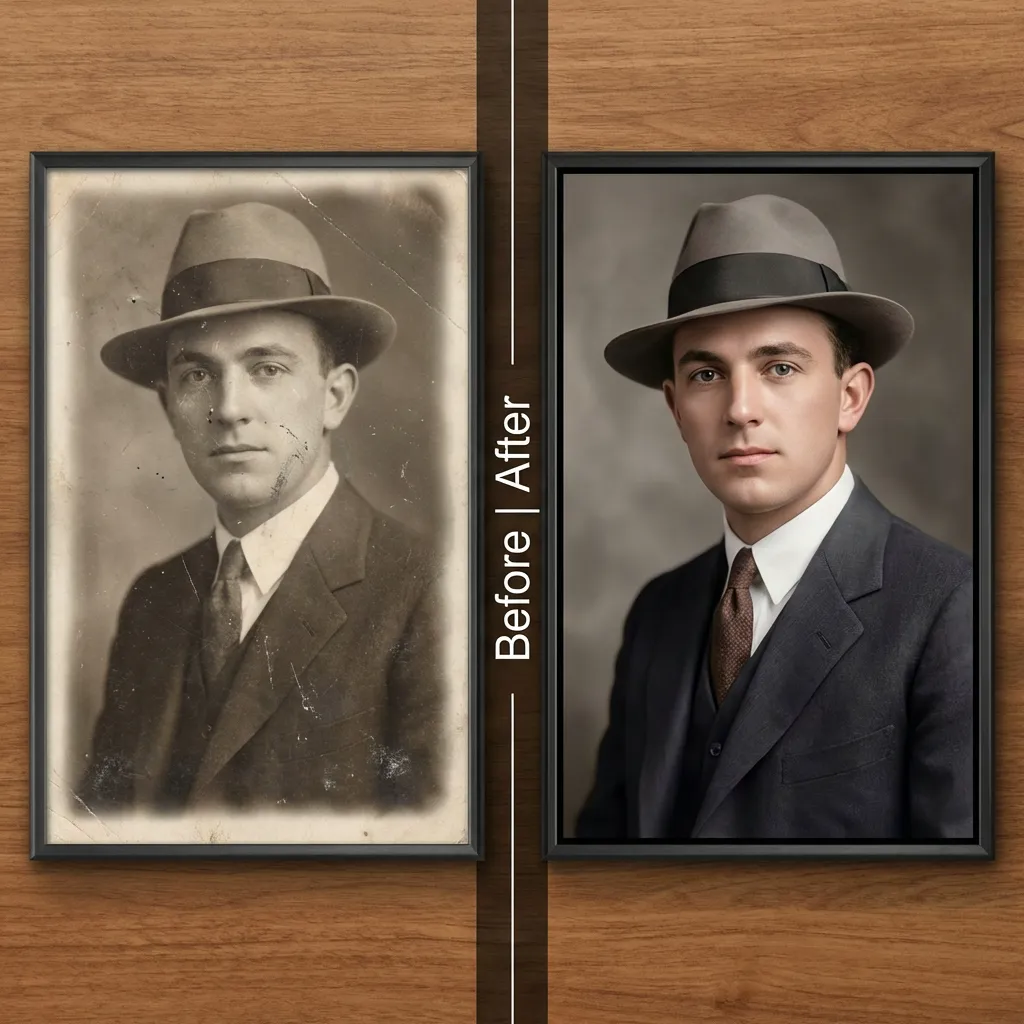
We all have them: a cherished family photo that is fading, a selfie taken in bad lighting, or a face swap that looks just a little bit “off.”
Recovering Old and Damaged Photos
In the past fixing these images required expensive software like Photoshop or paying a professional editor. Standard “sharpening” filters usually fail. They just add grain without making the face clearer.
AI Face Restoration changes this. Whether your image is blurry, pixelated, scratched, or simply low-resolution, the AI understands what a human face should look like. It reconstructs missing details like eyelashes, skin texture, and eye clarity to bring the image back to life.
How to Restore & Enhance Photos in 3 Steps
iSamurai’s tool is designed for instant results with no learning curve.
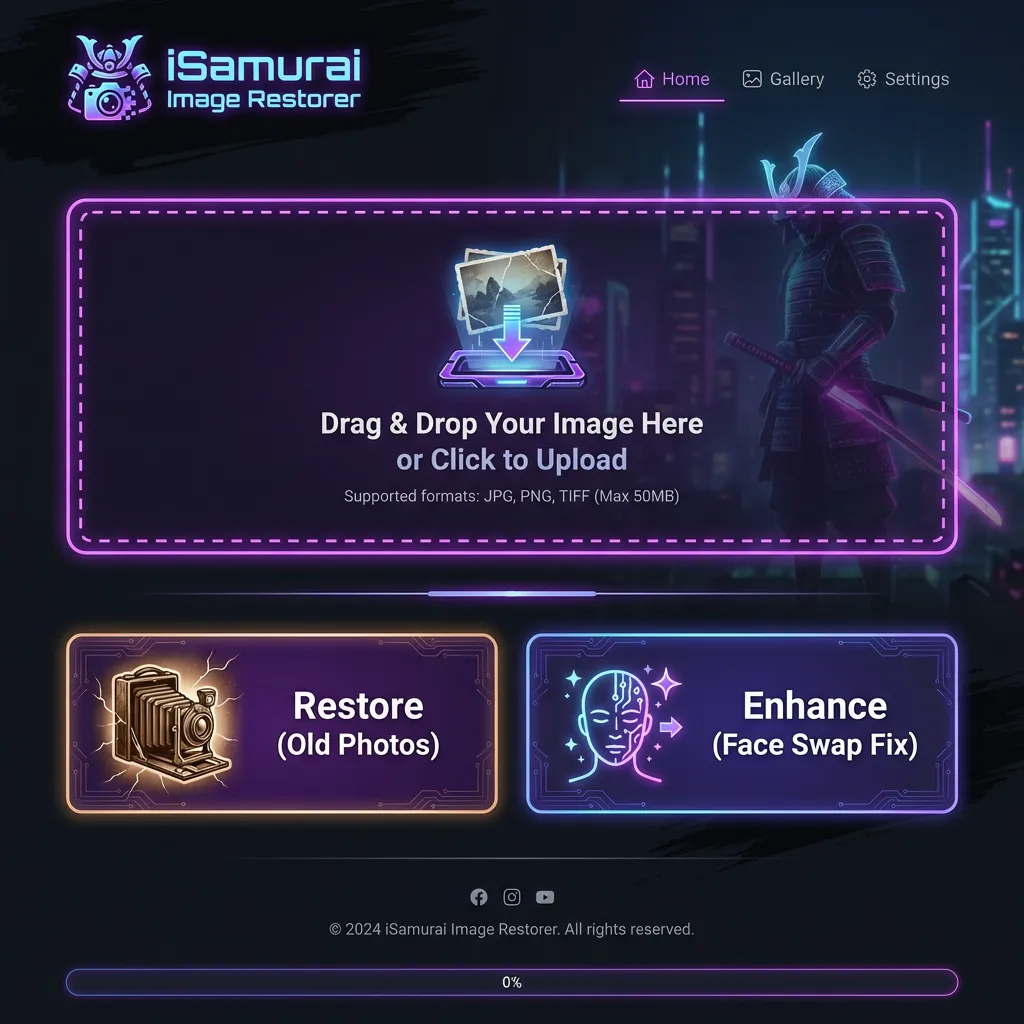
Step 1: Upload Your Photo
Go to the Image Restorer tool. Drag and drop your image.
Step 2: Choose Your Mode
- Restore: Best for old, damaged, or scratched photos. It fixes tears and improves faded colors.
- Enhance: Best for low-resolution, pixelated, or soft modern photos (perfect for fixing face swaps).
Step 3: Download
Click the button and wait a few seconds. The cost is 4 credits per image.
Use Case: Fixing “Uncanny” Face Swaps
Have you ever created a face swap that looked almost perfect but the face was a bit soft?
This is called the “Uncanny Valley” effect. It happens when the source image is lower quality than the target video.
The Fix:
Run your swapped result through the Face Enhancer. The AI will:
1. Upscale Resolution: Turn low-res faces into HD.
2. Restore Texture: Add realistic pores and skin details.
3. Fix Eyes: Sharpen the iris for a realistic look.
It turns a “good” swap into a “perfect” one.
Frequently Asked Questions (FAQ)
1. Can I restore old black and white photos?
Yes. The “Restore” mode is specifically trained to handle vintage photos. It removes scratches and improves contrast.
2. Does it work on group photos?
Yes. The AI automatically detects multiple faces in a single photo and enhances each one individually.
3. Will the face look fake?
No. Unlike filters that just overlay a generic face, our AI uses the underlying structure of the original photo to ensure the person still looks like themselves.
4. How much does it cost?
The Image Restorer is a premium feature available to paid subscribers. Each restoration costs 4 credits. You can buy flexible Booster packages if you need more credits.
Summary
Don’t let low-quality images ruin your memories or your content.
Upgrade to a paid plan to start enhancing.
Related Tutorials & Features
- Restore your photos instantly: Try our AI Image Restorer
- Read our full guide: AI Image Editor Complete Guide